
All selected work

second app

OpenCone

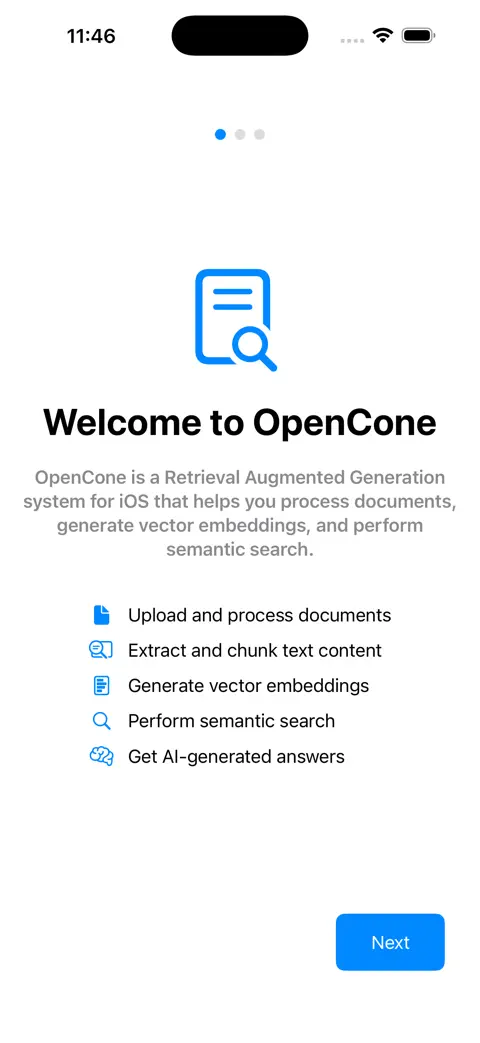
An iOS App that meshes the OpenAI Completions API and the Pinecone API together to form a RAG client for testing multi-index document search, later updated to use the Responses API.

The Pinecone iOS client that didn't exist, with on-device PDF and OCR chunking

SwiftUIResponses APIPinecone REST APIPDFKitCircuit BreakerSpeech RecognitionSSE Streaming

Screen recording

OpenCone 3.1, filmed in the iPhone Simulator on my Mac, sample documents

Scroll to play. Scroll back to rewind.

Screens

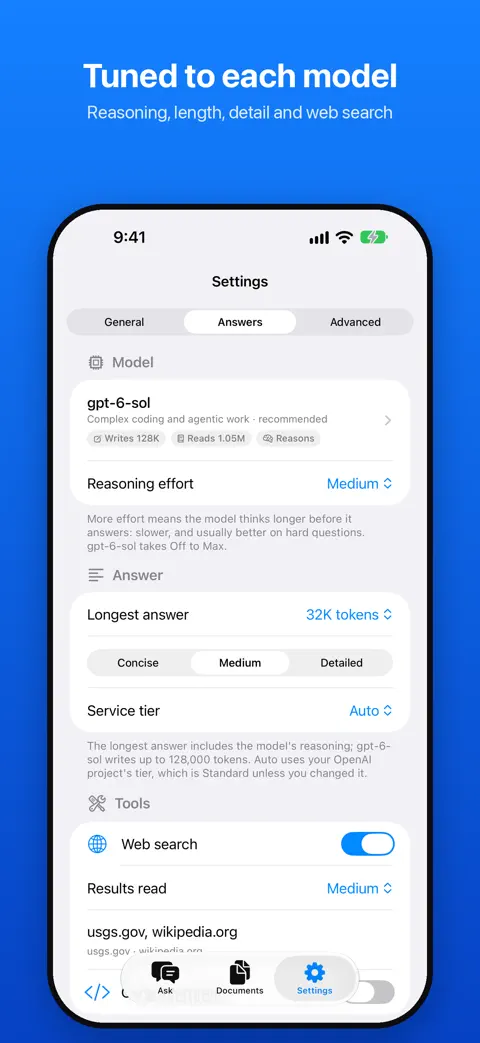
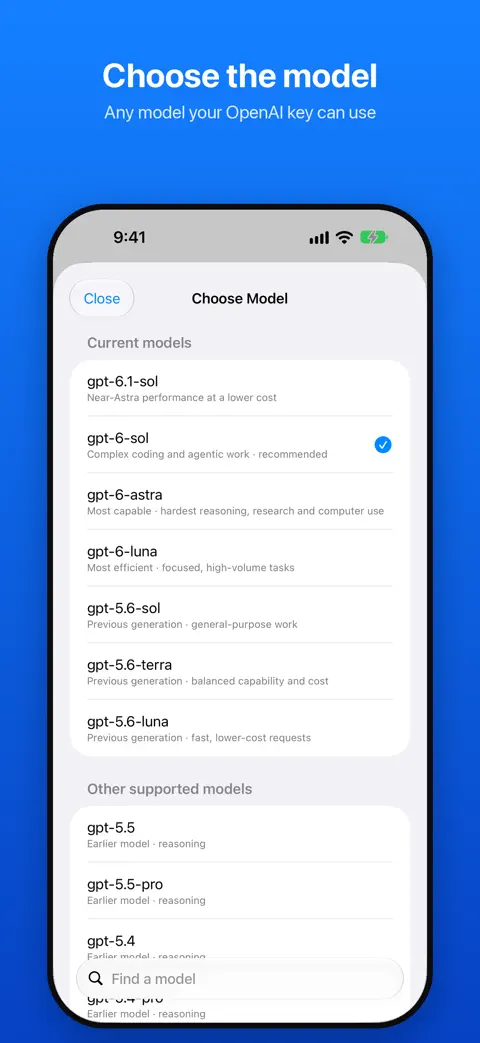
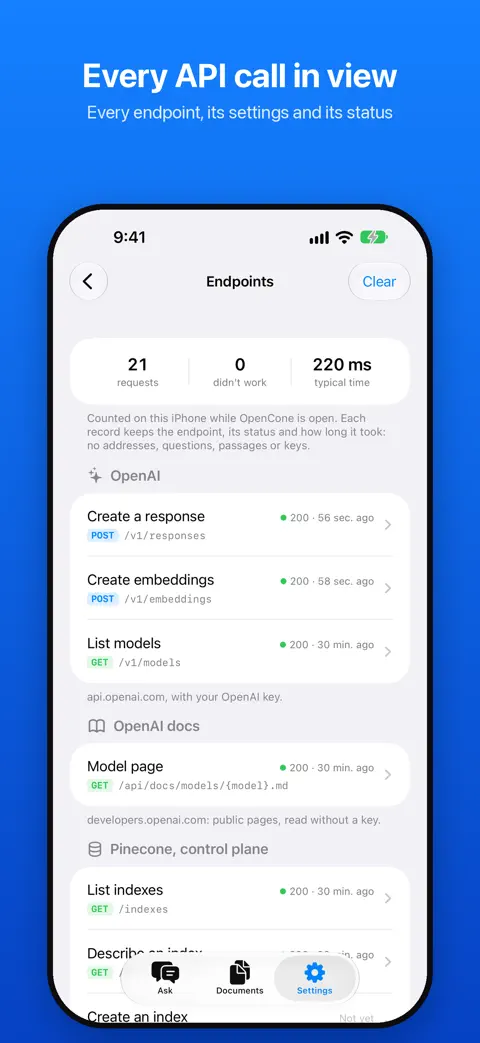
From the App Store listing for version 3.1. Scroll sideways.

  • OpenCone iPhone screenshot 1
  • OpenCone iPhone screenshot 2
  • OpenCone iPhone screenshot 3
  • OpenCone iPhone screenshot 4
  • OpenCone iPhone screenshot 5
  • OpenCone iPhone screenshot 6
  • OpenCone iPhone screenshot 7
  • OpenCone iPhone screenshot 8

How it works

Documents are prepared on the phone, then the cloud does the vector math. The boundary is explicit at every step.

On deviceOpenAIPinecone3 of 7 steps stay on the device
  1. On device

    Store credentials

    OpenAI and Pinecone keys are validated once and kept in the iOS Keychain.

  2. On device

    Extract and chunk

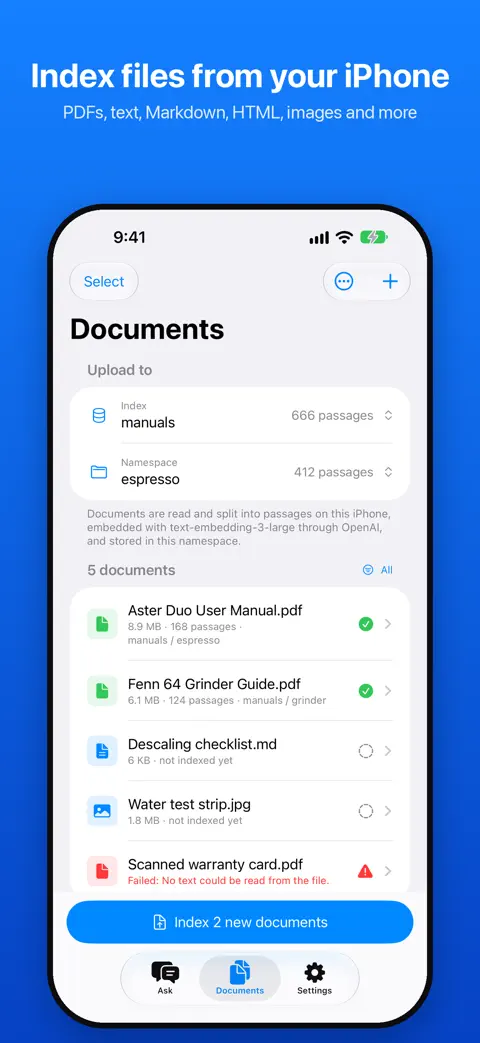
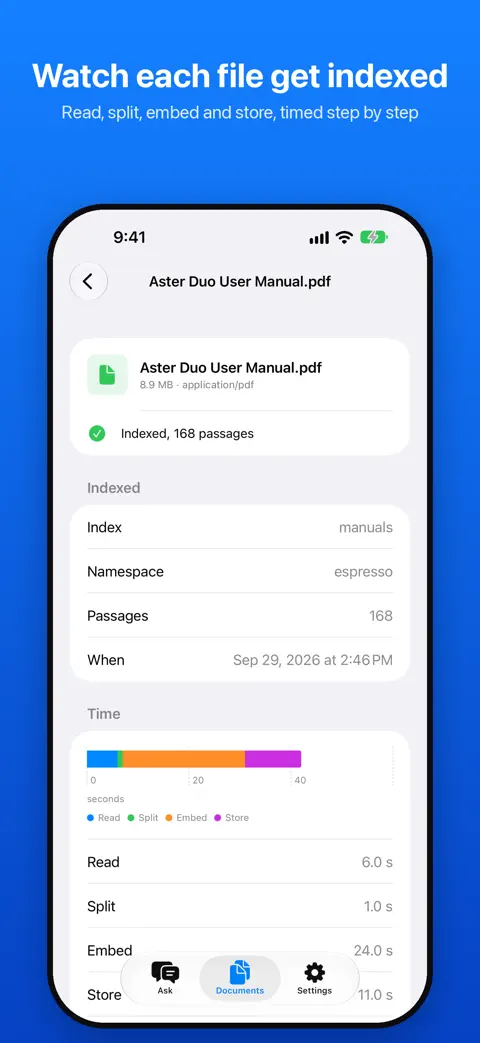
    PDFKit pulls text from PDFs, text and code files are read as they are, and Vision OCR reads the text in images, all inside an autorelease pool, then it is chunked for embedding.

  3. OpenAI

    Embed

    Chunks are embedded through the OpenAI Embeddings API.

  4. Pinecone

    Upsert

    Vectors are written to Pinecone serverless indexes and namespaces. Deletions are batched so removing a document is near-instant.

  5. Pinecone

    Query

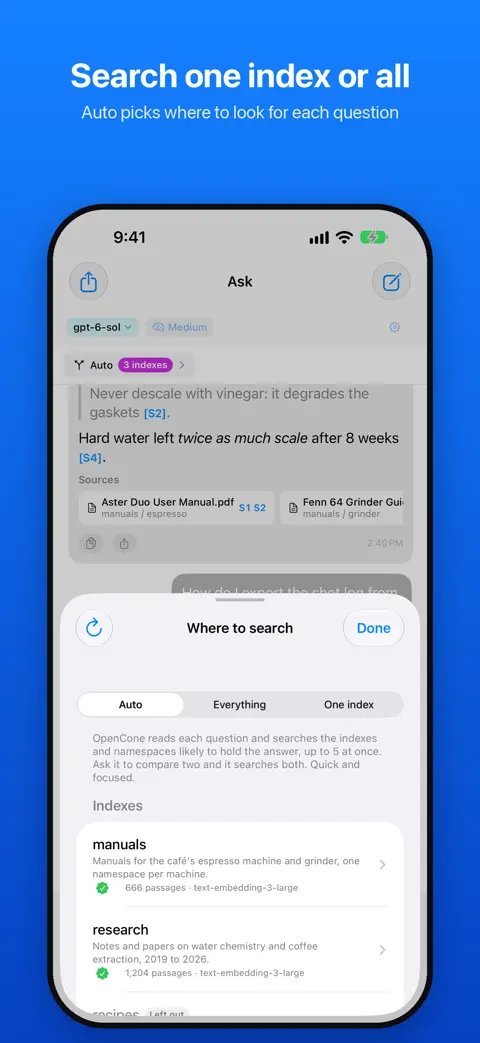
    Each question is embedded and searched against the selected index and namespace, which can change between questions in the same chat thread.

  6. OpenAI

    Generate with citations

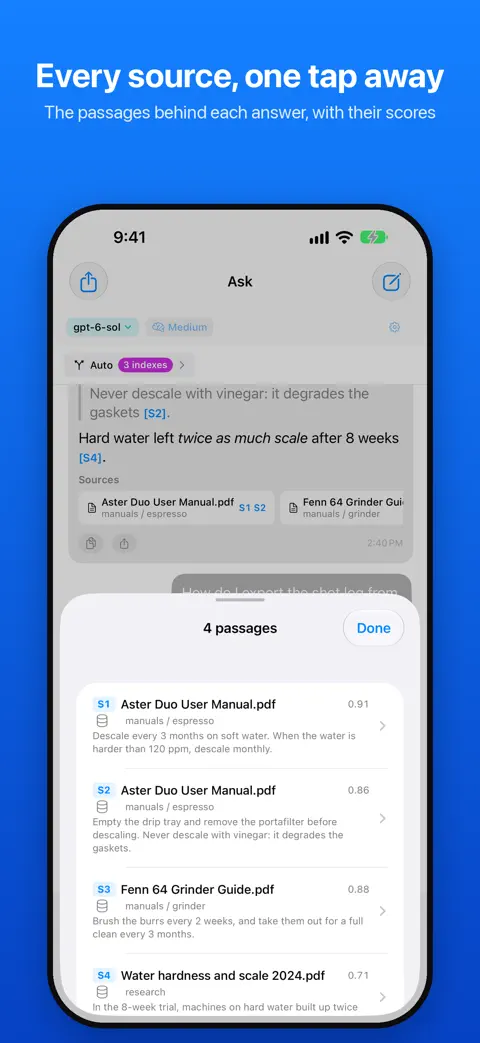
    The Responses API streams an answer over SSE with the matched chunks as citations.

  7. On device

    Circuit breaker

    If Pinecone fails twice in a row, requests pause and the user is told immediately instead of the app hanging.

The story

Why it exists and what building it taught me. Written for the homepage card, kept here in full.

Why: When I started getting into deeper development with OpenAssistant, the app would start losing context during large document queries. I looked up vector databases, found Pinecone was the standard, and realized they didn’t have an iOS app, so I decided to build one. I wanted to query multiple indexes and namespaces in a single chat thread, which was something the OpenAI Assistants playground was limited in doing.

On-Device File Reader: To feed documents into Pinecone, I built a local parser using Apple’s PDFKit and Vision. It extracts text from PDFs, text and code files, and reads the text in images with OCR, automatically chunking and converting them into embeddings on the fly.

Network Safety: To prevent the app from lagging or getting stuck when a server fails, I built a network circuit breaker. If Pinecone fails twice in a row, the app automatically pauses requests and lets the user know immediately.

What I learned: I took the backend from OpenAssistant and swapped out the storage layer for Pinecone. Honestly, in retrospect, the initial interface looked awful, but I later rebuilt it with the Responses API and clean embeddings. Getting this on the App Store was a personal milestone.

Shipping

Every commit, week by week, with the moments that mattered marked on it.

Commits
244
Active weeks
24
  1. App Store release
  2. v2.0
  3. v3
  4. v3.1

Milestones

5 releases since May 13, 2025.

  1. 3.1

    Answers render headings, lists, tables and code, and every claim links to the passage it came from.

  2. 3

    This update introduces critical security enhancements, major performance optimizations for document management, and full compatibility with the latest reasoning models.

  3. 2.2

    Version 2.2 brings GPT-5.2 support, smart prompts, and bunch of other stuff.

  4. 2.0

    Version 2.0 brings foundational improvements to answer generation, reliability, and user control.

  5. 1.0

    First release on the App Store.

All 5 releases with their notes, on gunzino.me